Amazon Negative Keyword Tool
Find the Amazon search terms wasting your ad spend
Product proof
See exactly what Todoza would clean up
Instead of scanning thousands of search terms, start with a ranked list of the ones costing you money.
Todoza analyses your Amazon Ads search-term data, ranks negative keyword candidates, and shows the spend, sales, ROAS and ACoS behind every recommendation.
Negative Keyword Finder
Focused Amazon PPC diagnostics for wasteful queries, high ACoS terms, and negative keyword candidates.
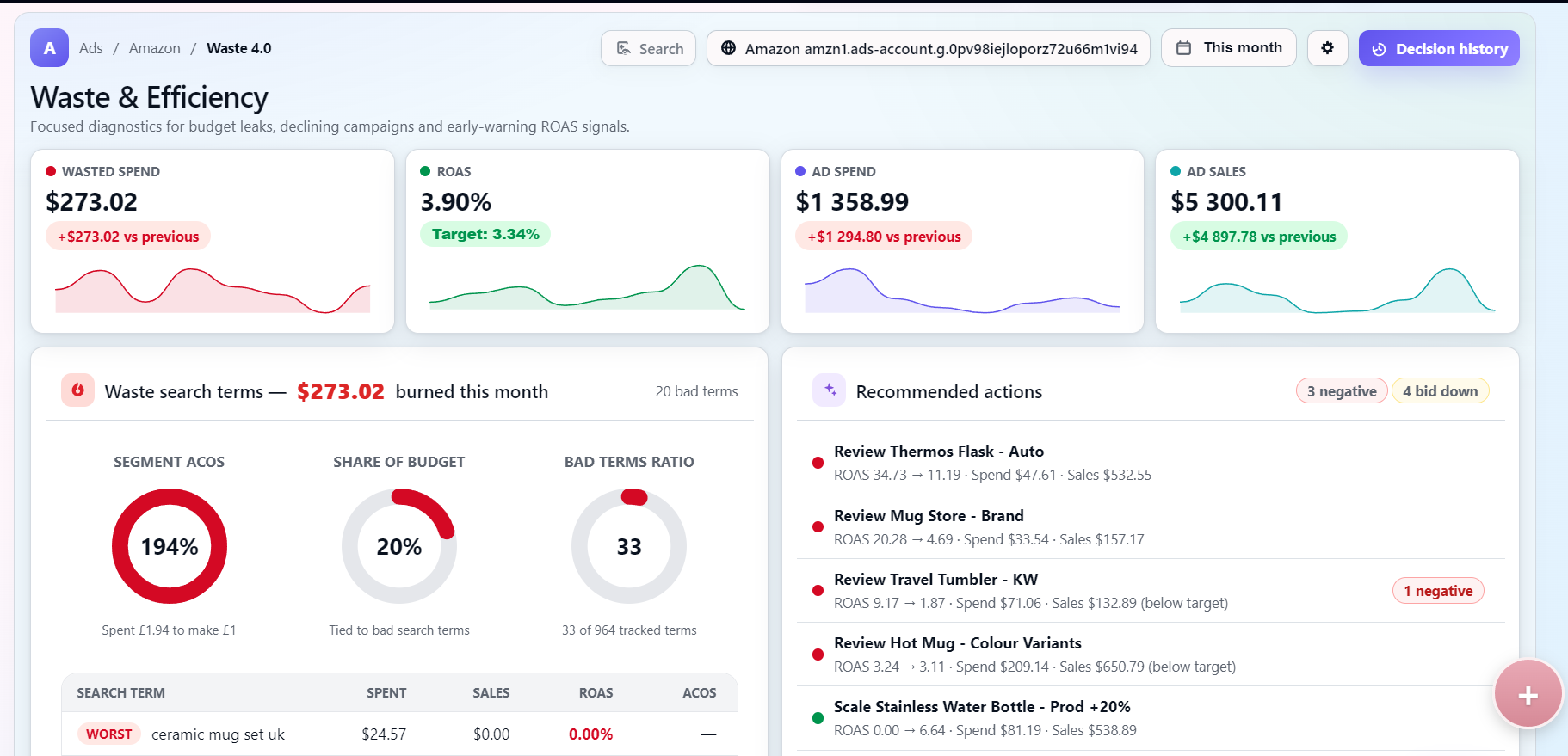
Waste leak detected
£3 025.27 burned in selected period across 204 underperforming search terms ready for cleanup.
Segment ACOS
Share of spend
Bad terms found
Search termSpendSalesROAS
Worstwireless earbuds sport£174.50£221.801.27%
High ACOScheap bamboo organiser£138.60£182.401.32%
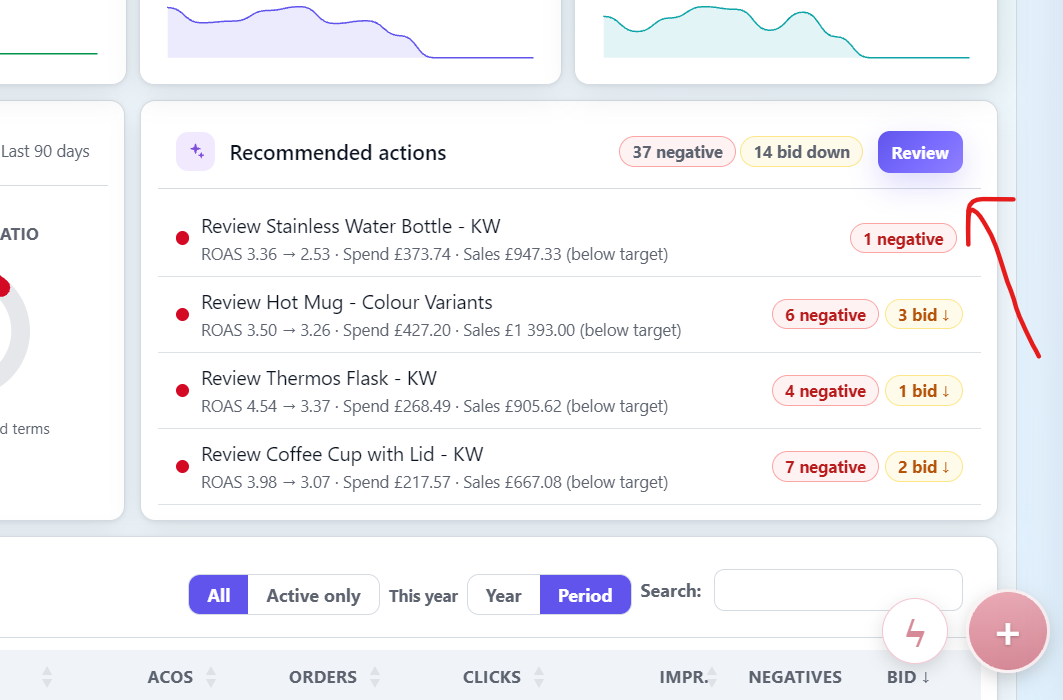
1 negative
1 bid ↓
Mark as negative in Alpha Brand - SP - EXROAS 9.80 → 2.51 · Spend £79.20 · Sales £198.60 (below target)
Lower bid in Generic KW CampaignROAS 3.40 → 2.28 · Spend £62.40 · Sales £148.50 (below target)
Review negative match for Retarget - KW - SPROAS 3.55 → 2.43 · Spend £109.80 · Sales £278.30 (below target)
1 negativeClean up 5 negative keyword candidatesPotential savings: £54.20 per month.

Why Todoza
Three things a negative keyword tool should do.
Todoza methodology
How Todoza decides what should become a negative keyword
Todoza does not flag a term just because one metric looks weak. It weighs spend, clicks, sales, ROAS, ACoS, campaign maturity, and historical behaviour before suggesting a negative keyword, bid reduction, or monitor decision.
Waste evidence
- Spend and clicks without enough sales
- ROAS and ACoS against account targets
- Repeated behaviour across imports
Context check
- Campaign maturity and data volume
- Search term history across campaigns
- Whether bid reduction is safer than a negative
Recommended decision
Read-only analysis
Todoza reviews reporting data and does not change campaigns automatically.
Human-approved negatives
Your team decides which keywords to negate, rebid, pause, or keep watching.
Built for many accounts
Role controls and multi-account workflows support agencies, teams, and brand owners.
Pricing
Simple plans. Real savings.
Compare monthly and yearly billing
Hatchling
For trying Todoza
£0/mo
Free forever
- Up to £500/mo Amazon Ads spend
- 1 marketplace
- Full Cleanup Plan recommendations
- 10 Apply via API actions / month
- Daily Amazon Ads sync
- 90 days of history
Most popular
Waste Hunter
For growing Amazon sellers
£29/mo
Billed monthly
- Up to £2,500/month ad spend
- Report imports up to 3× daily
- Cleanup Plan
- Alerts, exports & assignments
- Full history
- 2 team members
Todozavr bonus
Addressed as "Dear Fearless Waste Hunter"

Todozavr Royalty
Unlimited usage. Maximum glory.
£59/mo
Billed monthly
- Everything in Waste Hunter
- Unlimited ad spend
- Unlimited marketplaces
- Unlimited report imports
- Unlimited team members
Royal treatment
- Crown on your avatar 👑
- Addressed as "Your Most Honourable and Generous Majesty"
- Todozavr postcard
- Thousands of thank-yous
Connect your data
Connect your Amazon Ads data
Connect Amazon Ads directly or upload a Search Terms report. Todoza turns your search-term data into ranked negative keyword, bid-reduction and monitor recommendations.
Analyse my Amazon AdsGet started
Securely connect your Amazon Advertising account. Todoza will import your data automatically.
Pick your marketplace - we'll give you the exact report link. You do this once: set the report to repeat daily and every following day arrives on its own.
Set up your report one-time
Build it once with a daily schedule - after that Amazon sends each day's report to us and it imports itself. No re-exporting, no reminders.
A
Open Amazon Ads reporting
Open Amazon Ads Reporting
B
Set this report name
Report name
todoza-??????
💡 Using todoza-?????? as the report name lets us match it to your email automatically.
C
Required "Customise columns"
Create a Sponsored Products → Search term report, set Time unit = Daily, and keep the console language on English - we match columns by name. Add every column below; the ones marked * are required and the import fails without them.
Dimensions
Metrics
Need help setting up your Amazon report?
We'll configure it with you in about 10 minutes - you keep a saved report you can re-export any time.
Upload your report
Drag & drop your report here
or CSV, XLSX or TSV · max 20 MBlater: email your reports in
This is what makes it a one-time job. Once your account exists you get your own report token; point the daily schedule at the address below and every report lands here by itself.
Send to
amazon@inbound.todoza.io
Subject
todoza-??????
Got it - check your inbox
We've emailed you a link that sets up your workspace with this report already loaded.
Open it and Waste 4.0 starts on your own numbers, not a demo.
Saved - now set up the report
Amazon takes 20–30 minutes to build the first one. Name it with the token above and send it to
amazon@inbound.todoza.io - we'll match it to your email and send you a link the moment it lands.
Nothing to come back for; the details are in your inbox too.
Inside the finder
Find the search terms that should stop triggering ads.
Use the same reports from the guide to review wasted spend, compare ACoS and ROAS, then turn bad queries into negative keyword actions.
Why use a dedicated Negative Keyword Tool?
Manual Search Terms review does not scale.
Amazon accounts create thousands of search terms across campaigns. The waste is usually hidden in small leaks, repeated reviews are inconsistent, and spreadsheet prioritisation breaks as soon as more than one account or teammate is involved.
What the finder checks
Negative keyword decisions backed by real spend.
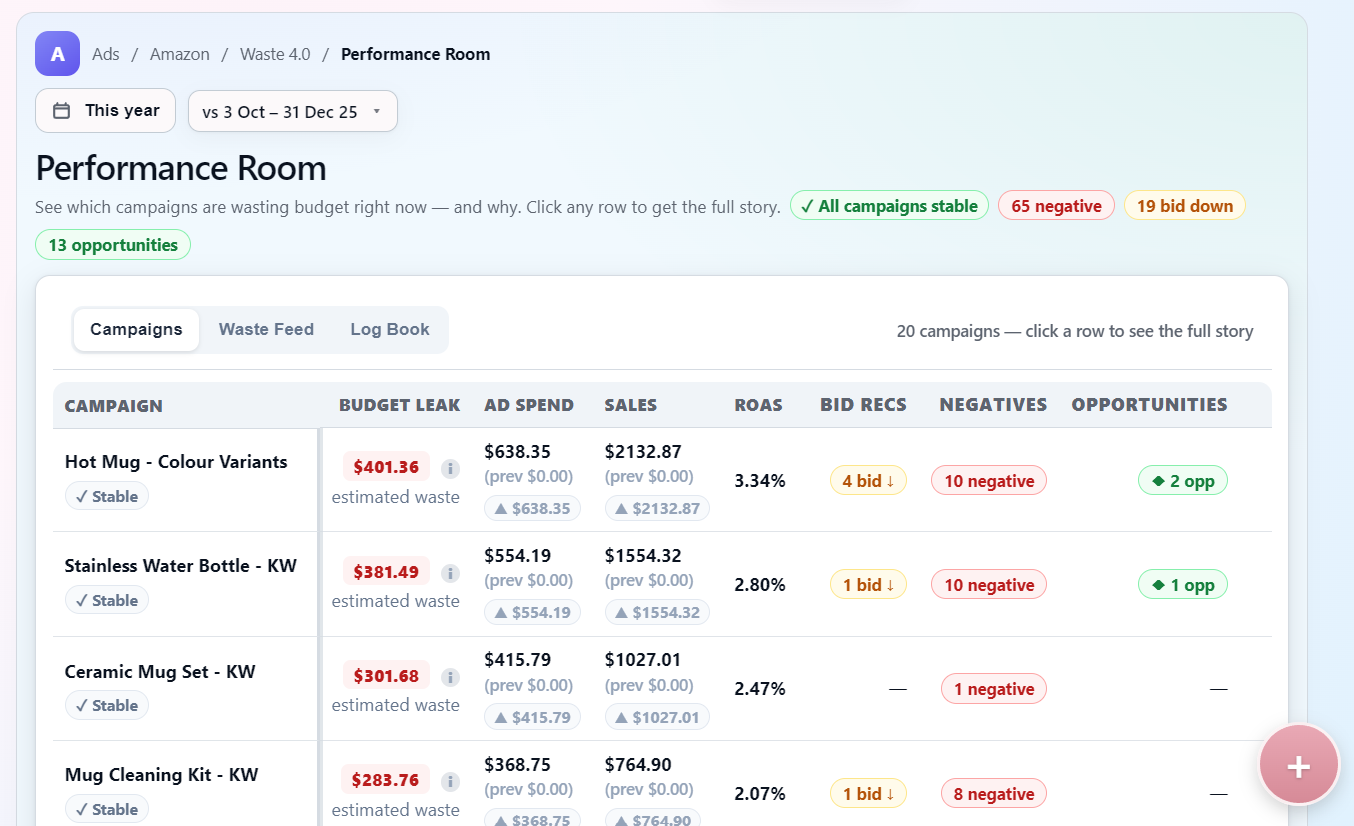
Wasteful query detection
Surface search terms that spend without enough orders, sales, or ROAS before they quietly drain the month.
ACoS and ROAS context
Compare each candidate against campaign performance, CPC, purchases, and sales so seasonal or long-tail terms are not blocked blindly.
Actionable cleanup workflow
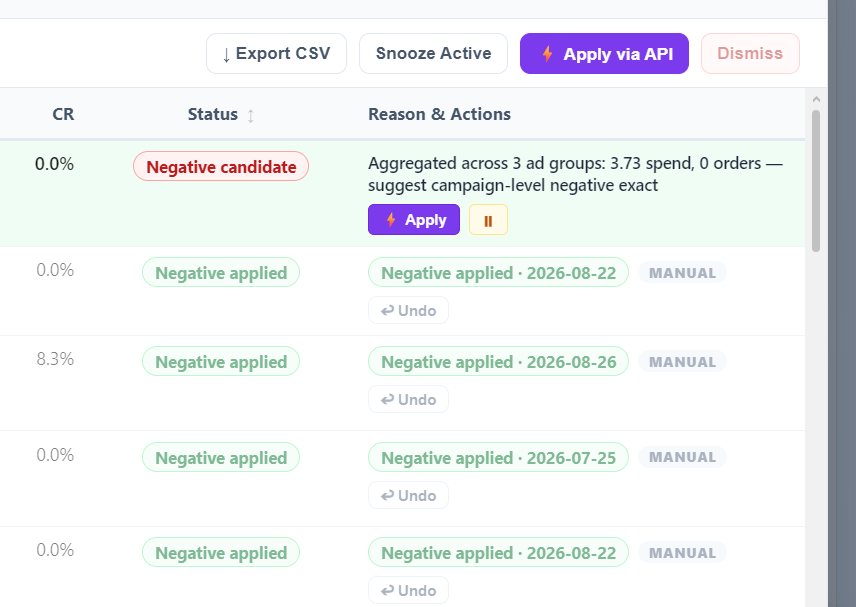
Mark negative keyword candidates, adjust bids, and assign follow-up work for the team managing the account.
How it works
Import reports, review bad terms, ship the cleanup.
Upload a CSV/XLSX report or schedule daily email imports, then use Todoza to manage negative keyword candidates across marketplaces and accounts.
- Import reportsUpload CSV/XLSX or schedule daily Amazon report emails.
- Detect wasteful search termsTodoza finds spend leaks across campaigns and accounts.
- Review candidatesSee the evidence behind every recommendation in Waste & Efficiency.
- Decide the actionChoose negative, bid reduction, or monitor.
- Assign cleanupTurn the decision into a clear owner-led Cleanup Plan task.
- Track future performanceUse later imports to confirm whether the waste actually stopped.
Manual cleanup vs Todoza
A product workflow beats another spreadsheet.
Manual Amazon Ads cleanup
- Search Terms exports spread across files
- Hard to compare campaigns and accounts
- Prioritisation depends on who reviews it
- Little history of what was changed
- Follow-up gets lost after the export
Todoza Negative Keyword Finder
- Ranked candidates inside the Amazon Ads Dashboard
- Cross-campaign visibility in Waste & Efficiency
- Consistent spend, ROAS, ACoS, click, and sales logic
- Cleanup Plan actions with owners and status
- Historical tracking after future report imports
Find the negative keywords hiding in your Amazon PPC data.
Create an account and start from the Waste and Efficiency dashboard.