Amazon Negative Keyword Finder
Quick answer
Find search terms that waste your Amazon Ads budget. TODOZA analyses campaign performance, highlights underperforming queries, and recommends negative keywords based on clicks, spend, sales, and ROAS - helping you clean up campaigns without relying on guesswork.
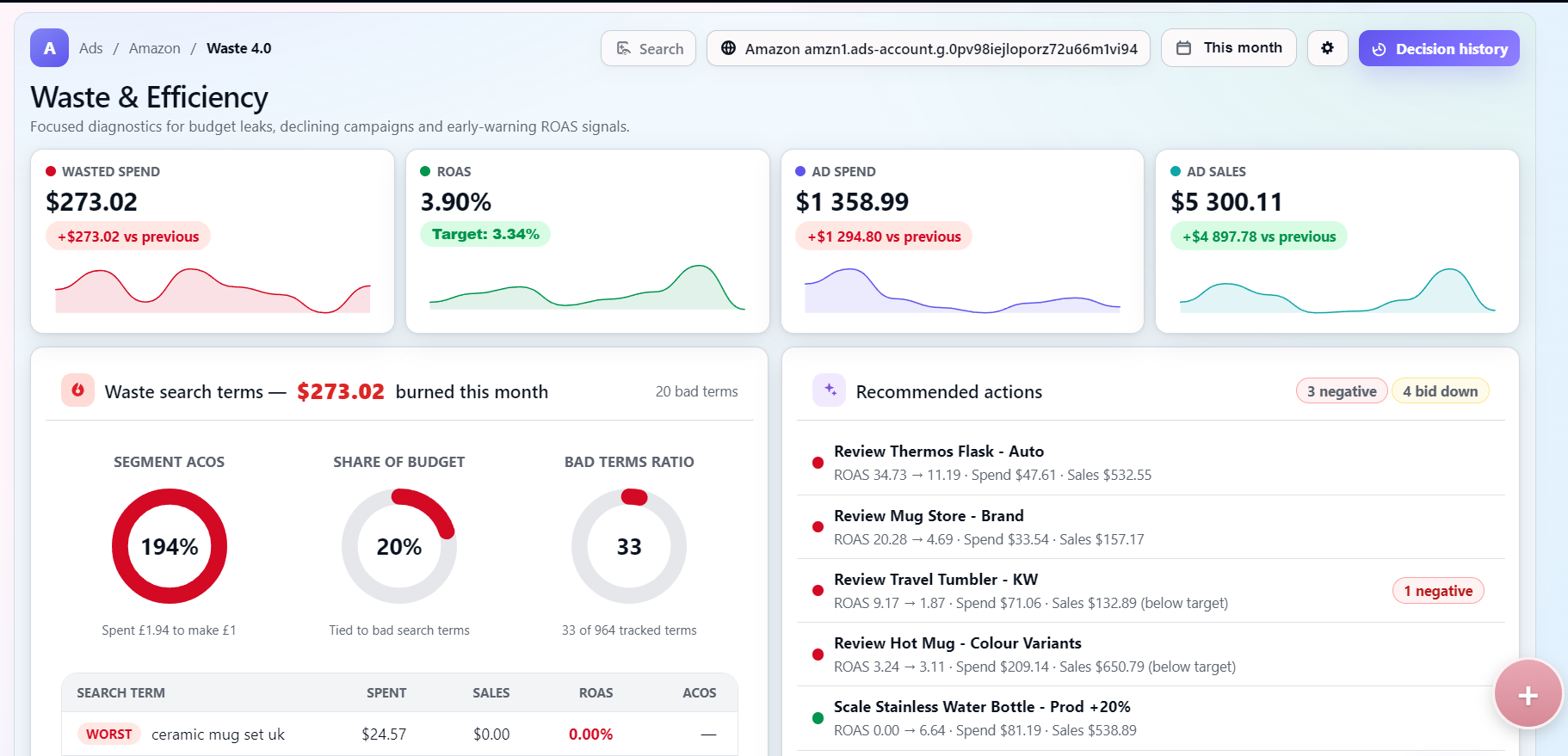
Find Wasted Ad Spend in Your Amazon Campaigns
Amazon search term reports can contain hundreds or thousands of queries, making it difficult to see where your budget is being lost. TODOZA brings this data into one workspace, highlights underperforming search terms, and helps you identify which queries should be reviewed as negative keywords. Whether you manage a few campaigns or a large account, you can focus on the areas that need attention first.
How TODOZA Builds Your Cleanup Plan
TODOZA analyses search term data from your active Amazon Ads campaigns using clicks, spend, orders, ROAS, and campaign-specific maturity thresholds.
Once a search term has enough data, TODOZA classifies it as a potential negative keyword, a bid decrease opportunity, or a term that needs more data before action is taken.
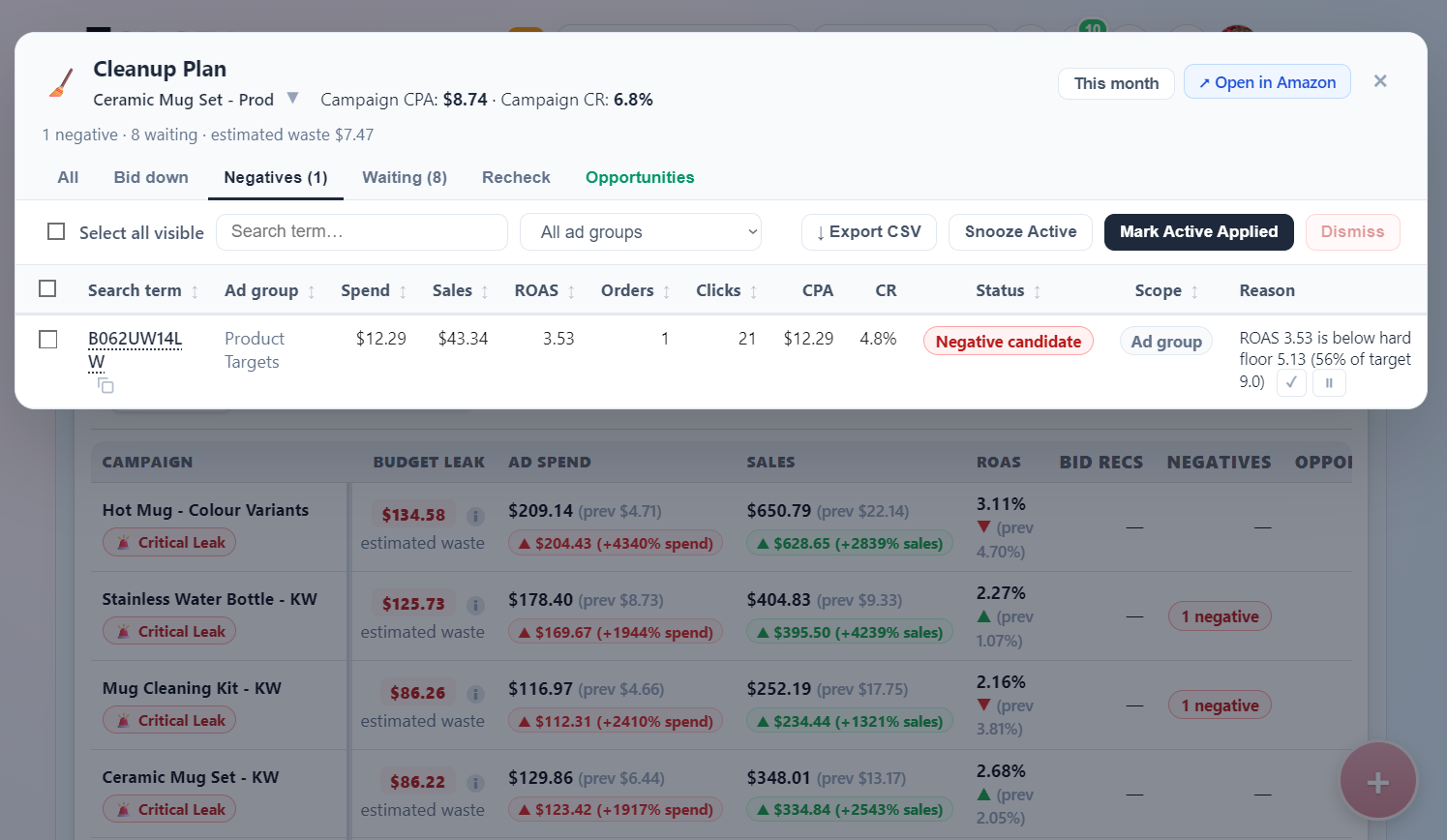
Search terms that consistently underperform across multiple ad groups can also be combined into a campaign-level negative recommendation. Every suggestion appears in the Cleanup Plan, where you can review the campaign, ad group, performance metrics, recommendation scope, and proposed action before making changes.
Why Campaign Context Matters
A fixed rule such as “20 clicks without a sale” does not work equally well for every Amazon campaign. TODOZA evaluates search terms against campaign-specific performance signals, including cost per order, conversion rate, target ROAS, clicks, and spend.
This helps distinguish genuine budget waste from search terms that simply need more data. Recommendations appear only when there is enough evidence to support a negative keyword or bid adjustment.
Review Every Recommendation Before Taking Action
TODOZA keeps you in control of every optimisation decision. In the Cleanup Plan, you can review the search term, campaign and ad group, spend, sales, clicks, orders, ROAS, CPA, conversion rate, recommendation scope, and the reason behind each suggested action.
You can then apply the change in Amazon Ads, mark it as completed, snooze it for later review, dismiss it, or export the recommendations to CSV.
Explore Amz Ad Waste Detector - Amazon Ads Analytics Module
Automatic Updates and Alerts
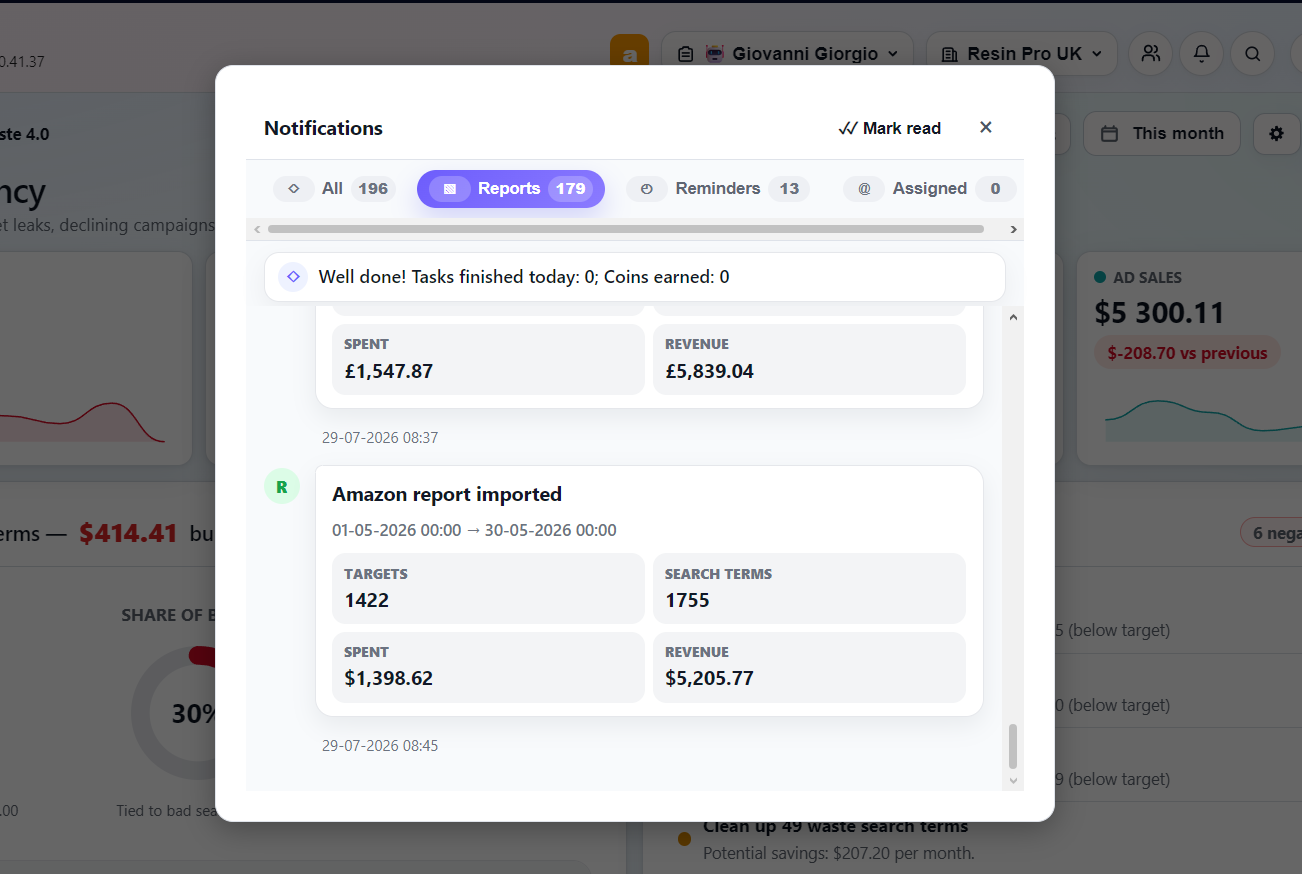
Set up a scheduled Amazon Ads report once and send it to your unique TODOZA email address. Each incoming report is matched to the correct account using its secure token and imported automatically, keeping your Cleanup Plan up to date without repeated manual uploads.
Choose how often you want to receive updates, which reporting period they should cover, and which recommendations matter to you — negative keywords, bid decreases, or new opportunities. Notifications can be delivered by email, Telegram, or directly inside TODOZA.
As new performance data arrives, TODOZA re-evaluates search terms that were previously waiting for more evidence and surfaces new actions when they become ready.
Start Cleaning Up Your Amazon Ads
Connect your Amazon Ads reporting once and let TODOZA keep your performance data up to date automatically. Review negative keyword, bid decrease, and opportunity recommendations in one Cleanup Plan, with full control over every action.
Frequently Asked Questions
How does an Amazon Negative Keyword Finder work?
An Amazon negative keyword finder analyses search term performance to identify queries that may be wasting ad spend. TODOZA evaluates clicks, spend, orders, ROAS, and campaign context before recommending a negative keyword, bid decrease, or additional monitoring.
What data does TODOZA analyse?
They process campaigns, ad groups, keywords, search terms, and ASIN performance to provide actionable insights for eliminating wasted ad spend.
Can TODOZA recommend bid adjustments?
Yes. TODOZA does not treat every underperforming search term as a negative keyword. When a term has enough data but still shows some sales potential, the Cleanup Plan may recommend a bid decrease instead.
Are multiple Amazon marketplaces supported?
Yes. TODOZA supports Amazon Ads accounts across the US, UK, Germany, France, Italy, Spain, Canada, Australia, the UAE, and Japan.
How often should negative keywords be reviewed?
Review frequency depends on your ad volume. High-spend accounts may need checks several times a week, while smaller accounts may only need weekly or monthly reviews.
Will TODOZA guarantee better Amazon Ads performance?
No tool can guarantee advertising results. TODOZA reduces guesswork by identifying negative keyword candidates, bid decrease opportunities, and other actions based on your campaign data.