Amazon Ads Performance Dashboard: What to Track and Why It Matters
Quick answer
Amazon Ads data is split across campaigns, ad groups, targets and search terms. A useful dashboard brings those reports together so you can see what changed, where spend is leaking and which parts of the account need review.
If you manage more than a handful of campaigns, isolated reports make it difficult to understand performance. Total spend and total sales can look acceptable while one campaign declines, a target becomes too expensive or search terms keep spending without orders.
An Amazon Ads performance dashboard should therefore do more than display charts. It should connect account-level numbers to the campaign, target and search-term details behind them.
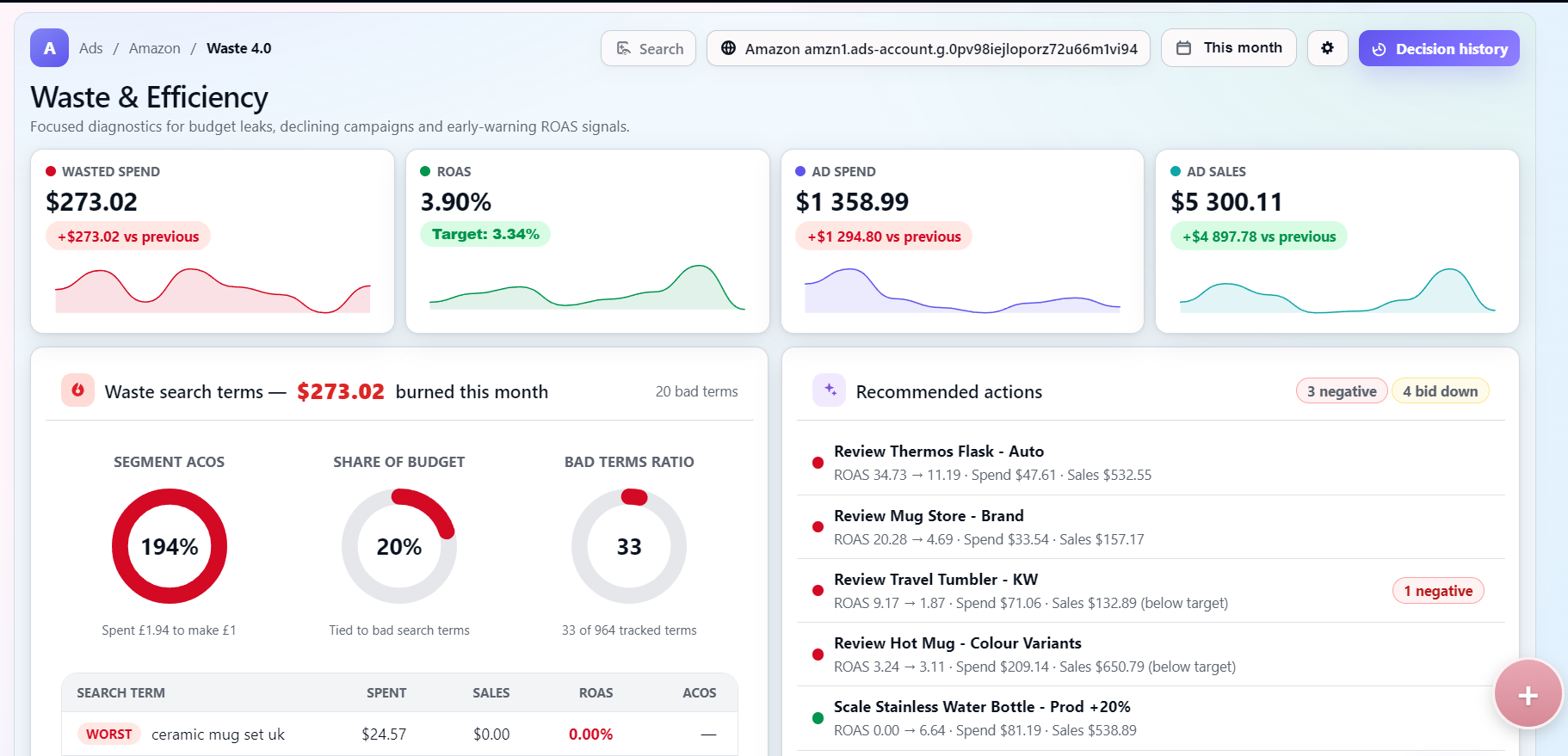
What an Amazon Ads performance dashboard should show
A useful Amazon advertising dashboard should show ad spend, attributed sales, ROAS, ACoS, orders, clicks, CPC, CTR, conversion rate, wasted spend and changes compared with the previous period. It should also let you filter by account, marketplace and date range.
Totals alone are not sufficient. A stable total ROAS can hide weak search terms, high-ACoS targets or budget being concentrated in campaigns that no longer convert well. The dashboard has to make those differences visible.
Essential Amazon Ads dashboard metrics
The right target values depend on margin, product economics and campaign goals. A launch campaign, branded defence campaign and profit-focused campaign may all have different acceptable ranges, so fixed universal benchmarks are usually misleading.
| Metric | What it shows | Why it matters | Warning signal |
|---|---|---|---|
| Spend | Total advertising cost for the period. | Shows how much budget is being used and where cost is concentrated. | Spend rises faster than sales. |
| Sales | Revenue attributed to Amazon Ads. | Connects paid traffic to commercial output. | Sales fall while spend remains flat or increases. |
| ROAS | Attributed sales divided by ad spend. | Shows return generated for each unit of spend. | ROAS declines versus the target or previous period. |
| ACoS | Ad spend divided by attributed sales. | Shows the share of sales consumed by advertising cost. | ACoS rises beyond what margins can support. |
| Orders | Purchases attributed to ads. | Separates conversion volume from revenue value. | Clicks continue but orders drop. |
| CPC | Average cost per ad click. | Shows whether traffic is becoming more expensive. | CPC increases without better conversion. |
| CTR | Clicks divided by impressions. | Indicates whether shoppers engage with the ad. | CTR falls on important campaigns or targets. |
| Conversion rate | Orders divided by clicks. | Shows how effectively paid traffic turns into purchases. | Conversion rate drops while spend rises. |
| Wasted spend | Spend that does not meet the selected sales or ROAS expectation. | Highlights areas that may need review before they drain more budget. | Waste repeats in the same terms, targets or campaigns. |
Campaign-level and search-term analysis
An Amazon PPC dashboard should let users move between campaigns, ad groups, targets and search terms. Campaigns explain budget and strategy. Ad groups explain structure. Targets show bidding choices. Search terms show what shoppers actually typed or matched against.
This is where the dashboard becomes useful: a healthy overall ROAS can still hide one declining campaign, expensive search terms with no sales, high-ACoS targets or weak segments taking too much budget.
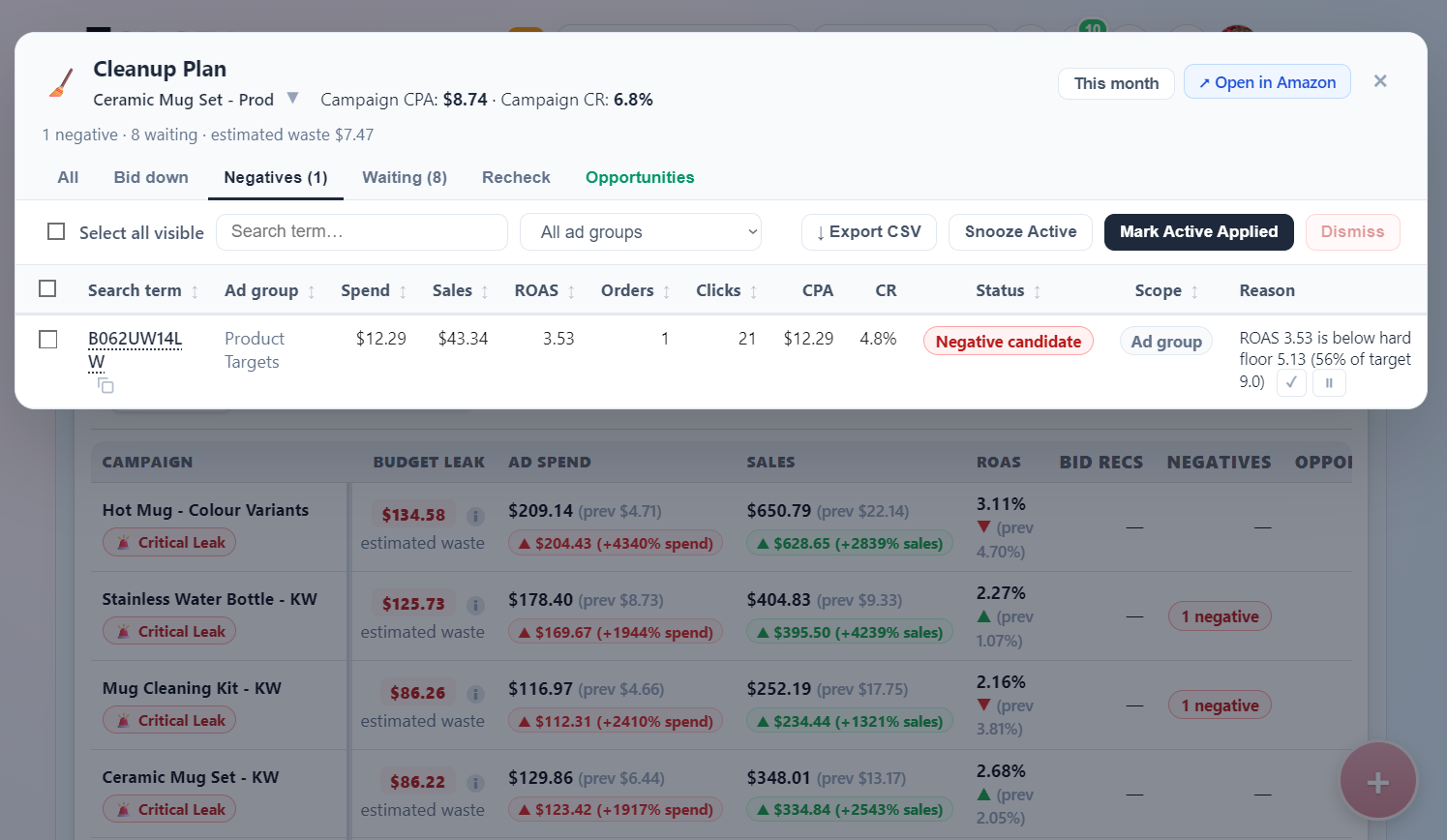
Detecting wasted spend and performance decline
Weak performance should not automatically become a negative keyword. A search term with repeated spend and no useful sales may be a negative keyword candidate. A target that still converts but at a weak return may need a lower bid. A campaign with a short-term drop may need context such as stock, seasonality or budget changes.
The point of an Amazon Ads analytics dashboard is prioritisation: what to review first, what action is likely and what should be monitored before changing anything.
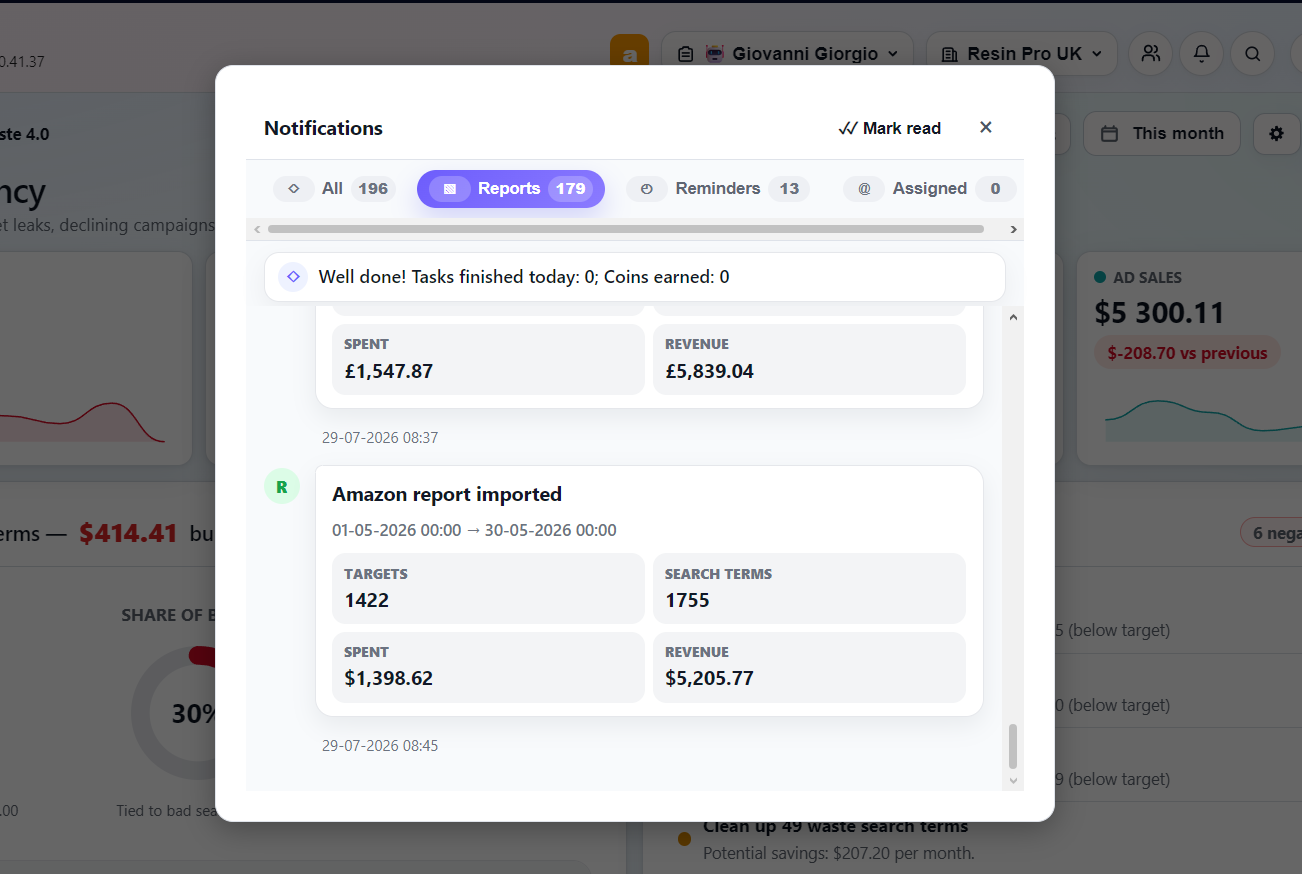
Report imports and review workflow
Dashboard data is only useful when the import workflow is consistent. Todoza can work with Amazon Advertising reports imported from CSV/XLSX files and scheduled email reports, then organise campaign, target and search-term analysis in one workspace. The Amazon Ads Report Analyzer covers this side directly: upload or schedule the import, then export a shareable Performance Report once the analysis is ready.
Amazon Ads console vs a dedicated dashboard
The Amazon Ads console remains the source of truth for campaign management. A dedicated Amazon Ads reporting dashboard is most useful when teams need faster comparison, clearer prioritisation or a shared cleanup workflow across multiple accounts.
| Criteria | Amazon Ads console | Dedicated dashboard |
|---|---|---|
| Cross-account visibility | Strong for the current account, but cross-account comparison can be manual. | Can combine account and marketplace views in one workspace. |
| Historical comparison | Provides reports and exports. | Can standardise previous-period checks and trend review. |
| Wasted-spend detection | Possible through manual report analysis. | Can surface repeated waste patterns and prioritise review. |
| Search-term prioritisation | Search term reports are available. | Can rank terms by spend, sales, ROAS, ACoS and action type. |
| Team assignments | Access is managed through Amazon permissions. | Can assign follow-up review work to team members. |
| Cleanup workflow | Actions are applied in the console. | Can organise review, negative keyword and bid-down recommendations before users act. |
Managing multiple accounts and marketplaces
Agencies, brand owners and internal advertising teams often need unified reporting, account and marketplace filters, consistent metrics, shared team access and scheduled report imports. Multi-account views help show whether a performance issue is isolated to one brand, one marketplace or a wider advertising pattern.
For more detail, see the guide to multi-account support in Amazon Ads analytics.
How Todoza approaches Amazon Ads dashboard analysis
Todoza's Amz Ad Waste area performs read-only Amazon Ads analysis. It can analyse campaigns, ad groups, targets and search terms, highlight wasted spend, identify declining campaigns and recommend review, negative keyword or bid-down actions.
The Cleanup Plan workflow helps organise decisions before users act. Todoza does not automatically change Amazon campaigns. Users review and approve actions themselves.
When an Amazon Ads dashboard becomes useful
A dedicated Amazon campaign performance dashboard becomes more valuable when you manage more than one campaign, regularly export reports, work across multiple marketplaces, review negative keywords manually, investigate falling ROAS or manage advertising for multiple brands or clients.
At that point, the value is not another chart. It is a repeatable way to find problems, compare periods and decide what should happen next.
Review Amazon Ads performance from one workspace
Review wasted spend, declining campaigns and search-term opportunities from one workspace.
See the Todoza Amazon Ads dashboardFrequently Asked Questions
What should an Amazon Ads performance dashboard include?
It should include spend, attributed sales, ROAS, ACoS, orders, clicks, CPC, CTR, conversion rate, wasted spend and previous-period changes. It should also let users drill into campaigns, ad groups, targets and search terms.
Which Amazon Ads metrics should I monitor?
Monitor spend, sales, ROAS, ACoS, orders, CPC, CTR and conversion rate together. No single metric explains the whole account, so the dashboard should show how they move together.
How often should Amazon Ads dashboard data be updated?
Update frequency depends on spend and workflow. Many teams review imported reports daily or weekly, while lower-volume accounts may only need a regular weekly review.
Can one dashboard manage multiple Amazon accounts?
Yes, if the dashboard supports multiple accounts and marketplaces. This is useful for agencies, brand groups and teams that need consistent reporting across several advertising accounts.
What is the difference between ACoS and ROAS?
ROAS shows sales divided by ad spend. ACoS shows ad spend divided by sales. They describe the same relationship from opposite directions, so both should be interpreted against margin and campaign goals.